PlatformAmélioration
See every tool on one page in All tools
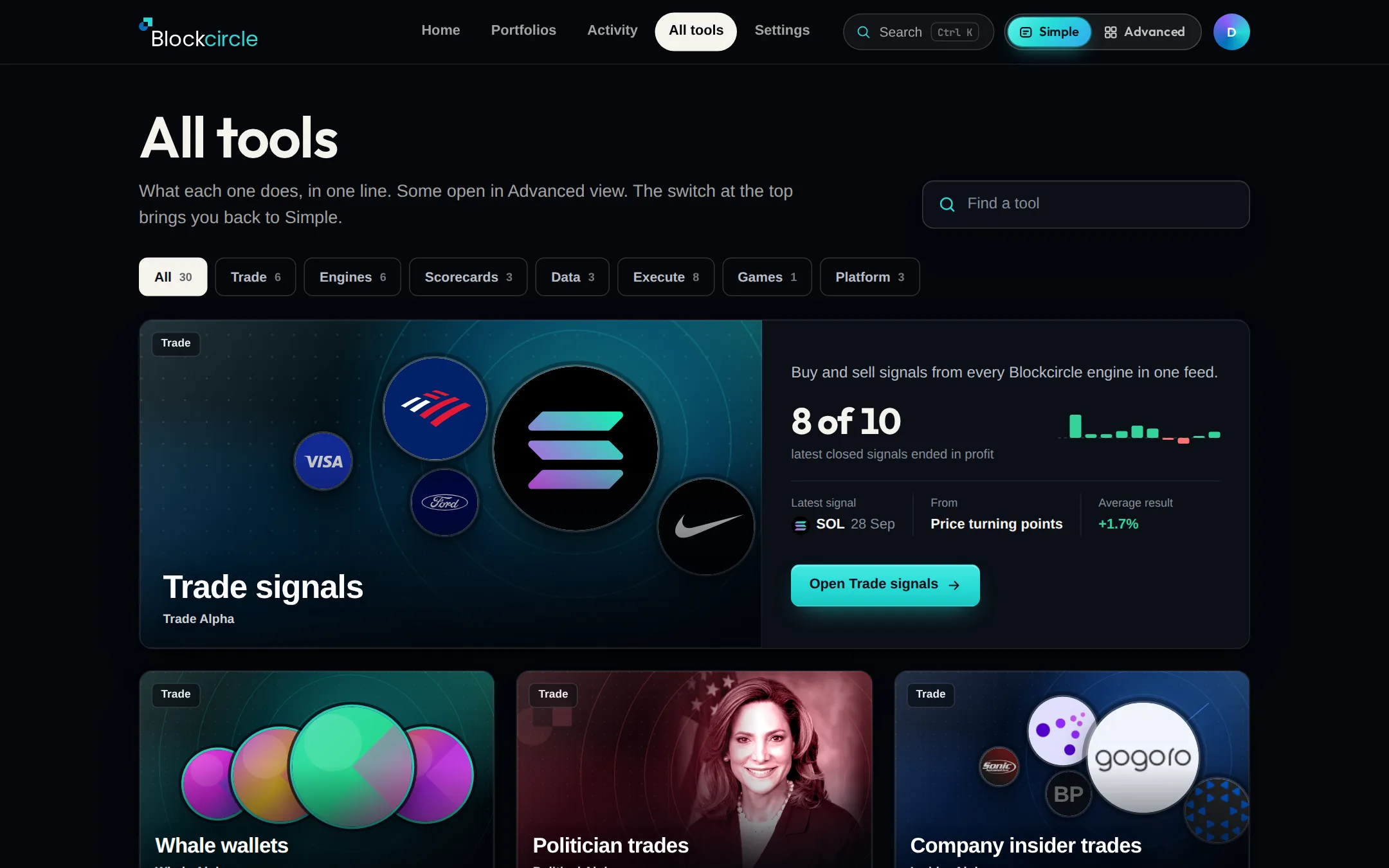
All tools now shows every Blockcircle tool as a picture card, with one live fact where we have the data. Trade signals sits on top with its latest signal. Find All tools in the Simple top bar.
 Ouvrir Platform
Ce qui a changé
- Where it is: All tools in the Simple top bar, or blockcircle.com/home/tools.
- On top: Trade signals, with the latest signal, the engine it came from and how the last 10 closed signals ended.
- Every other tool is a card with its name and one plain line. Where we have the data it adds one live fact, such as the latest politician filing or insider buys and sells in the last 7 days.
- Chips filter by group, like Trade, Engines or Data. Find a tool searches by name, and Enter searches coins, stocks and people.
- Cards marked Opens in Advanced open there, and the switch brings you back. The Simple pages and the top bar now share one width.