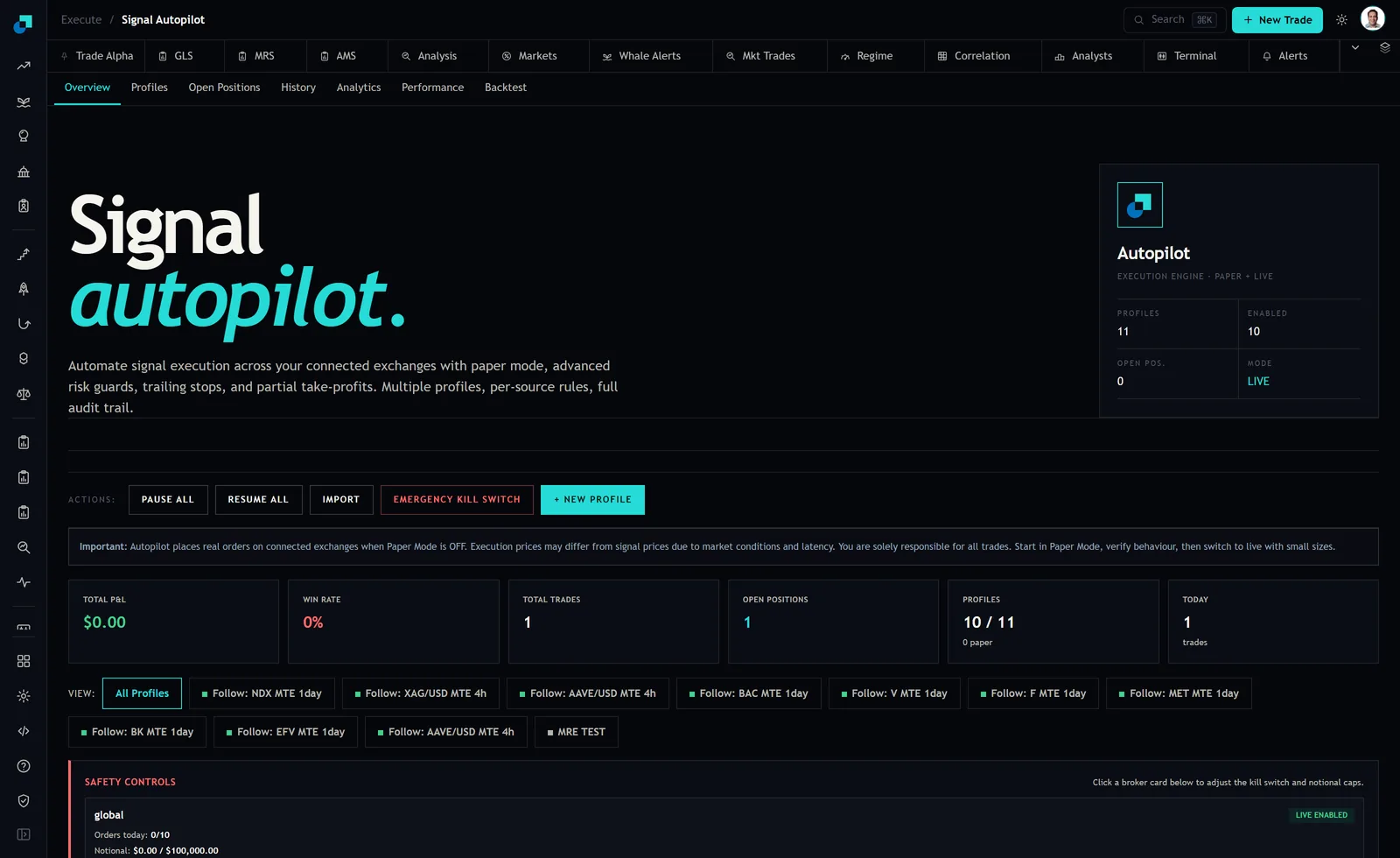
The Autopilot overview puts PAUSE ALL, RESUME ALL and EMERGENCY KILL SWITCH in the same row of buttons. Two of those are stops and they are clearly not meant to be the same stop, because nobody builds two identical buttons and gives one of them the word emergency. What the interface cannot tell you, and what you need to know before you ever press either, is what each one does to a position that is already open at the moment you press it.
This is not a hypothetical. The moment you reach for a halt is by definition a moment when something is going wrong, usually with money already committed and usually in a hurry. That is the worst possible time to discover that the button you chose does not do what its name suggested.
Two buttons that sound like the same thing
Reading the names literally gets you most of the way to the right expectation. Pause implies suspension of activity with state preserved, and resume next to it implies exactly that, since you cannot resume something that has been unwound. Emergency and kill imply something more decisive. That is a reasonable reading and it is still a reading, and I would not put live capital behind a reading.
What I would do, and what this article is really about, is establish the answer empirically for my own setup before I need it, because the answer depends not only on the button but on how your particular profile is configured and which venue it is connected to. Two people can press the same control and get materially different outcomes.
The three things a halt can mean
Every halt behaviour I have encountered in execution tooling reduces to one of three, and they have very different consequences.
Stop new entries, keep managing what is open. The profile stops looking for signals. Positions it already holds stay open and continue to be managed by whatever exit logic they were given, so a trailing stop keeps trailing and a partial take profit still triggers. This is the least disruptive and it is what most people picture when they hear pause. It also means you are still in the market, which sometimes is not what you wanted.
Flatten everything. The engine closes open positions, usually at market, and stops. You are out. The cost is that you are out at whatever the market was offering during a moment of stress, which is the most expensive moment to be a forced seller, and you cannot undo it. On a thin instrument the exit itself can be worse than the event you were reacting to.
Hand the book back to you, unmanaged. The engine stops doing anything at all. Positions stay open. Nothing is watching them. From your account's point of view nothing visibly changed, which is what makes this the dangerous one, and it is the behaviour most likely to leave you holding something you did not know you still owned.
Where your stop actually lives
This is the technical detail that decides everything above, and it is worth understanding once because it applies to every automated tool you will ever use.
A stop can exist in two places. It can be a real order resting at the exchange or broker, sitting in their order book waiting for a price, in which case it exists independently of anything on your side. Your engine could be uninstalled and that stop would still be there. Or it can be a rule inside the execution engine, which is watching the price and will send a market order when a condition is met. That version only exists while the engine is running and paying attention.
Autopilot offers trailing stops and partial take profits. Both of those are conditional behaviours, which means something has to be watching. The question you need answered for your own configuration is whether that watching happens on the platform's side or is expressed as an order sitting at your venue, and the way to find out is not to ask the interface. It is to open your exchange or broker account directly, look at the working orders list, and see whether anything is there.
The stakes are concrete. Suppose you are long three thousand dollars of something with a four percent trailing stop, and the engine goes down at 11:40. If that stop is a resting order, you are protected and your worst case is about a hundred and twenty dollars. If it was a rule in the engine, you now hold three thousand dollars with no protection whatsoever and no notification that this is the case. By the close the position is down nine percent and you have lost two hundred and seventy dollars on a trade you believed was capped, and the loss did not come from the strategy. It came from an assumption.
The entry order nobody cancelled
The mirror image of that problem is the one that actually produces positions you did not know you owned, and it catches people who did everything else right.
If the profile places limit orders to enter rather than buying at market, some of those orders will be sitting unfilled at the venue at any given time. Halting the engine stops the engine. Whether it also cancels the orders it has already sent is a separate question, and the default in a lot of tooling is that it does not, because cancelling is itself an action and a stopped system is not taking actions.
So the sequence goes like this. You kill the engine at 11:40 because you do not like what is happening. At 14:15 the market comes down, a limit order you had forgotten about fills, and you are now long a position that was opened by a system you switched off three hours earlier, with no exit logic attached to it because the thing that would have managed it is not running. You find out that evening, or the next morning, or when the broker statement arrives.
Check the venue's working orders list after any halt. That is the whole mitigation and it takes thirty seconds.
The paper test that answers all of this in an afternoon
You do not need to reason about any of this, because the module runs paper alongside live and the test is straightforward. Set up a profile in paper, get it into a position deliberately, and then press each control in turn while watching what happens.
- Open a position in paper and let it settle so you can see it in the Open Positions tab.
- Press PAUSE ALL. Check whether the position is still there, and check whether its exit logic is still described as active. Wait for a price move and see whether the trailing stop adjusts.
- Resume, get back into a position, and this time use EMERGENCY KILL SWITCH. Check the same things. Note whether the position closed, and if it did, at what price relative to where it was when you pressed.
- Repeat with a resting entry order outstanding, and see whether the halt cancels it.
- Write the four answers on a card and keep it where you will find it during a bad morning.
The overview at the time of writing showed my profiles as 10 of 11 enabled with 0 paper, which is the configuration where none of this has been tested. That is common and it is worth twenty minutes to fix.
The five minutes after you press it
Whatever the answers turn out to be, the sequence after any halt is the same and it should be reflexive rather than considered, because you will be doing it while something unpleasant is happening.
Open the Open Positions tab and count what is there. Then open the venue directly, in its own window, and count what it says you hold. Those two numbers agreeing is the only confirmation that matters, because the engine reports what it believes and the venue reports what is true. Cancel any working orders you did not intend to leave live. Then, for each position still open, decide explicitly whether you are keeping it or closing it by hand, and if you are keeping it, place a stop yourself at the venue rather than assuming one is still in force. Doing that takes a couple of minutes and it converts a halt from an ambiguous state into a book you have consciously chosen to hold.