Platform新功能
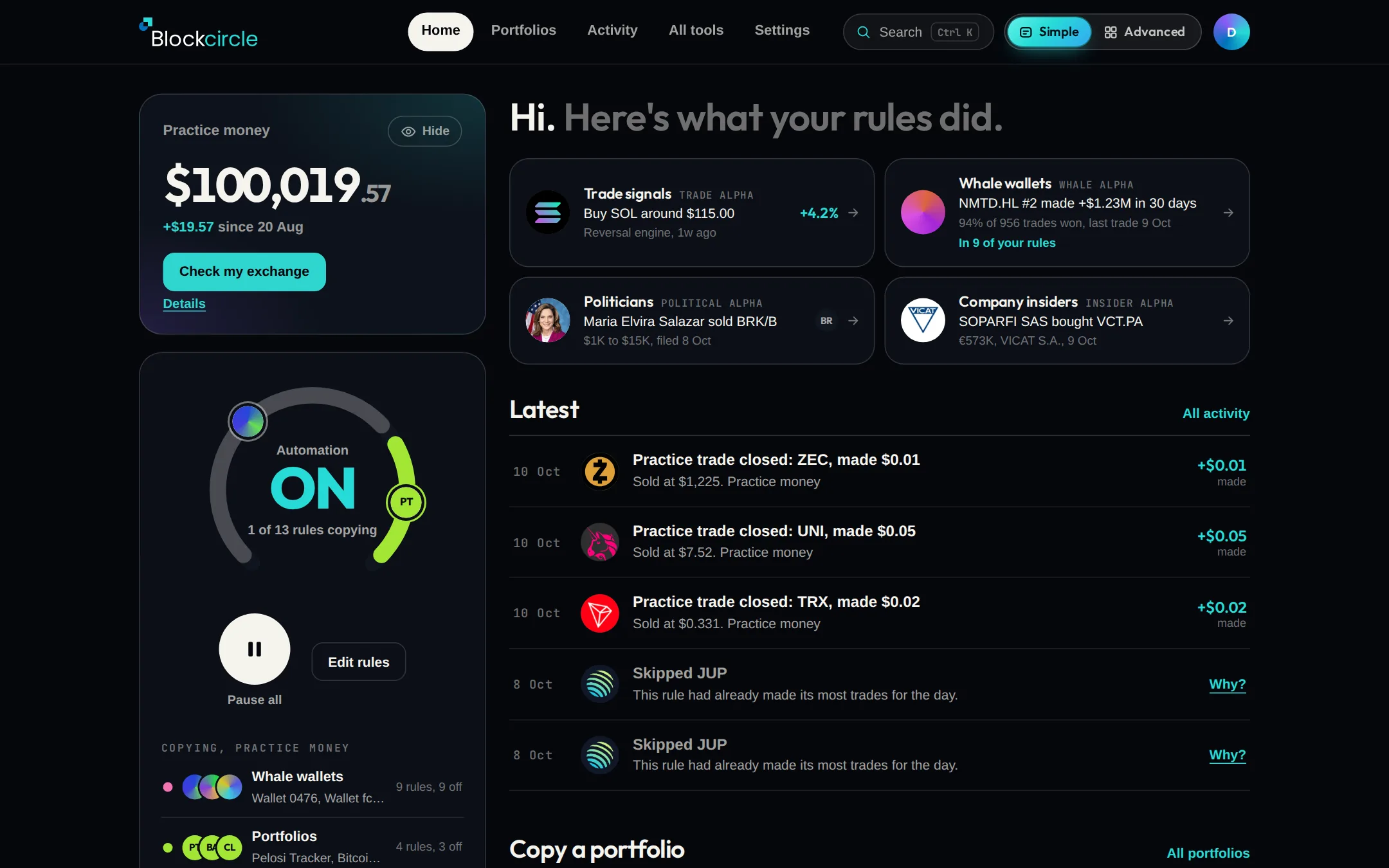
See your balance and latest trades on one page in Simple view
Simple view puts your balance, your rules and the latest activity on one page, in plain words. The Simple | Advanced switch at the top right moves you between the two and keeps you on the same page. Advanced is still there with every tool.
 在 Platform 中打开
更新内容
- Where it is: the Simple | Advanced switch at the top right of every page. Your choice is saved on your account, so it is the same on your phone.
- Simple has five tabs: Home, Portfolios, Activity, All tools and Settings.
- Search is in the Simple top bar. Type a tool, a coin, a stock or a person.
- All tools shows every tool on one page. Some open in Advanced, and the switch brings you back.
- New accounts and signed-out visitors start in Simple. Older accounts keep the view they had.